
Network services and WiFi in Brooklyn and NYC
PointerTech IT Solutions designs, installs and supports business networks and WiFi for small and mid-sized companies across New York City. We’re based in Brooklyn, so we know the buildings: thick walls, old wiring, shared risers and landlords who want advance notice. You get a network that stays up, and a local team that fixes it when it doesn’t.
The network problems NYC offices run into, and how we fix them
New York buildings are hard on WiFi. Brick and plaster walls, steel, elevator shafts and every neighbor’s network fight your signal. Many offices still run on whatever the last tenant left behind: a consumer router in the closet, unlabeled cables and a switch nobody has touched in years. That’s how you end up with slow speeds, dead zones, dropped calls and security gaps. We find the actual cause, replace or reconfigure what needs it, and set up the network so it stays secure and online. That means fewer interruptions for your staff, and fewer lost sales and frustrated customers.
What a properly built network does for your business
- Reliable connectivity: A planned layout and cloud-managed hardware from brands like Cisco Meraki and Unifi give you consistent internet across the whole office, so video calls, card payments and cloud apps keep working.
- Better security: Business firewalls, current firmware and separate networks for staff, guests and devices protect your business data and communications from outside threats.
- Room to grow: We plan for more people, more devices and more space, so a new hire or an extra floor doesn’t mean ripping everything out.
- More productive staff: When the connection is fast and stable, people stop restarting routers and waiting on uploads, and get on with their work.
- Remote management: Because the hardware is cloud-managed, we can monitor, adjust and troubleshoot your network remotely, and many problems get fixed without a site visit.
Remote work: VPNs and secure access from anywhere
Chances are some of your team works from home, a client’s office or the road at least part of the week. They still need the same files, apps and systems they use at their desk, and that access shouldn’t open a hole in your security. PointerTech IT Solutions sets up VPNs and other remote work tools so staff who work remotely can get in safely and simply:
- VPN setup and configuration: We set up encrypted VPN connections so staff can reach office resources from anywhere. Each person gets only the access they need, and your data is protected on its way in and out of the office.
- Other remote work tools: Alongside VPNs, we set up cloud services like Microsoft 365 and the collaboration tools your team relies on, so people can share files, meet and get work done from any location.
Network services for every kind of Brooklyn and NYC office

A Brooklyn walk-up, a floor in a Manhattan high-rise, a narrow storefront with the router behind the counter: every space has its own problems. We design the network around your building, your layout and your line of work. At St George’s Academy in Manhattan, that meant commercial routers and switches, new access points and rewiring to get rid of dead zones and dropouts.
When you need IT network support in Brooklyn or anywhere in NYC, call PointerTech at 718-806-9374 and tell us what’s going wrong.

Introduction The recent CrowdStrike outage that took place in July 2024, affecting businesses globally, unders…
READ MORE
Client: An Australian Pharmaceutical Company (Name Withheld by Request) Challenge: The client recently expan…
READ MORE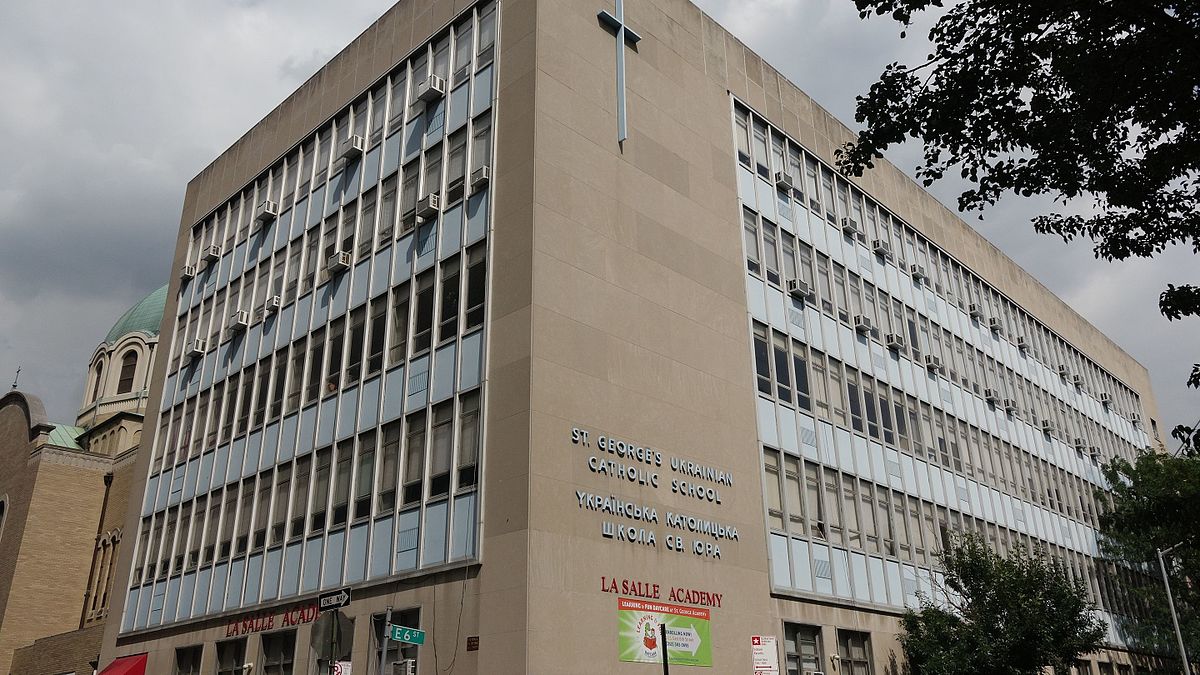
Solutions Provided by PointerTech IT Solutions: Results: The upgrades and new implementations by PointerTech …
READ MOREFAQs
Because consumer gear and guesswork don’t hold up in New York offices. A professional install gives you fast, reliable connectivity for daily work, a network planned around your building, and security that keeps staff, guests and devices apart. It also leaves room to grow, and you have a local team to call when something stops working.
Ask what business networks they’ve set up in buildings like yours, and whether they handle both the install and the support afterward. A good provider visits before recommending anything, explains the plan in plain English and works within your landlord’s building rules. Ask local businesses for references, and find out exactly how you get help once the job is done.
Mostly the building and the crowd. Brick, concrete, glass and elevator shafts block signal, and your neighbors’ networks compete for the same airwaves. Other electronics add interference, and a room full of laptops and phones can overload a single router. A site survey shows where the weak spots are, and business-grade access points in the right places usually fix coverage and speed.
Start with the basics: a business-grade firewall, strong WiFi encryption, and software and firmware kept up to date. Keep guests and smart devices off your business network, review the setup regularly, and train staff to spot phishing. EDR on your computers adds another layer. We can set all of this up and maintain it as part of ongoing IT network support.