< Back

In the heart of America’s business capital, New York City companies face unique challenges when it comes to protecting their critical data. From Wall Street financial institutions to Brooklyn startups, businesses across the five boroughs require robust managed server backup NYC solutions that can withstand everything from cyber attacks to natural disasters.
The stakes couldn’t be higher. A single data loss event can cost NYC businesses an average of $4.35 million, according to recent industry studies. With the city’s dense urban environment, aging infrastructure in some areas, and the constant threat of cyber criminals targeting high-value metropolitan targets, having a comprehensive backup strategy isn’t just recommended—it’s essential for survival.
Modern cloud server backup NYC solutions offer unprecedented levels of protection, combining the reliability of enterprise-grade infrastructure with the flexibility that New York’s fast-paced business environment demands. Whether you’re running a boutique law firm in Manhattan or a growing tech company in Long Island City, understanding your backup options can mean the difference between a minor inconvenience and a business-ending catastrophe.
Explore our comprehensive data storage and backup solutions designed specifically for NYC businesses.
Managed server backup represents a fundamental shift from traditional, hands-on data protection to a comprehensive, professionally maintained approach. Instead of relying on internal IT staff to manually configure, monitor, and maintain backup systems, businesses partner with specialized providers who handle every aspect of the backup process.
This approach offers several distinct advantages for NYC businesses. First, it eliminates the need for specialized backup expertise on your internal team, allowing your IT staff to focus on strategic initiatives rather than routine maintenance tasks. Second, managed solutions provide 24/7 monitoring and support, ensuring that backup processes run smoothly even outside normal business hours.
Automated Backup Processes: Modern managed backup solutions automatically identify and protect critical data across your entire infrastructure. These systems can back up physical servers, virtual machines, databases, and cloud-based applications without manual intervention.
Continuous Monitoring: Professional backup providers continuously monitor backup jobs, storage capacity, and system health. This proactive approach identifies and resolves issues before they impact your data protection strategy.
Regular Testing and Validation: Perhaps most importantly, managed backup providers regularly test restore processes to ensure your data can be recovered when needed. Many businesses discover too late that their backup systems weren’t working properly when disaster strikes.
Scalability and Flexibility: As your business grows or changes, managed backup solutions can automatically adjust to protect new systems and data sources without requiring manual reconfiguration.
The managed approach also provides access to enterprise-grade backup technologies that might be cost-prohibitive for individual businesses to implement and maintain independently. This includes advanced features like deduplication, compression, and intelligent scheduling that optimize backup performance while minimizing storage costs.
New York City’s unique business environment creates specific challenges and opportunities for data backup strategies. Understanding these local factors is crucial for developing an effective backup plan that truly protects your business.

NYC’s dense urban environment presents both advantages and challenges for backup infrastructure. The city hosts numerous world-class data centers, including facilities in Manhattan, Queens, and New Jersey, providing excellent options for local backup storage. However, the concentration of businesses and infrastructure also creates shared risks.
Local Data Center Advantages: Storing backups in NYC-area data centers provides low-latency access for restore operations and ensures compliance with data residency requirements. Major facilities like Digital Realty’s Manhattan locations and CoreSite’s New York campus offer enterprise-grade security and redundancy.
Weather and Natural Disaster Planning: While NYC doesn’t face the same natural disaster risks as coastal Florida or earthquake-prone California, severe weather events like Hurricane Sandy demonstrated the importance of geographic diversification. Effective backup strategies often combine local storage for quick recovery with geographically distant replication for true disaster protection.
Power and Connectivity Infrastructure: NYC’s electrical grid, while generally reliable, can experience localized outages during severe weather or infrastructure maintenance. Backup solutions must account for these potential disruptions through redundant connectivity and power systems.
Many NYC businesses operate in heavily regulated industries that impose specific requirements on data handling and backup procedures.
Financial Services Regulations: Companies in NYC’s financial district must comply with SEC, FINRA, and banking regulations that mandate specific data retention periods and recovery capabilities. Encrypted backup NYC solutions are often required to meet these stringent security standards.
Healthcare Compliance: Healthcare organizations must ensure backup solutions meet HIPAA requirements, including encryption of data in transit and at rest, access controls, and audit logging.
Legal and Professional Services: Law firms and other professional services organizations must maintain client confidentiality while ensuring data availability for ongoing cases and regulatory requirements.
NYC’s business density creates unique continuity challenges and opportunities. During widespread disruptions, having backup systems that can quickly restore operations becomes critical not just for individual businesses but for maintaining the city’s economic ecosystem.
Remote Work Support: The shift toward hybrid work models means backup solutions must protect data regardless of where employees are working. This includes securing home office setups and ensuring reliable access to restored data from any location.
Supply Chain Dependencies: Many NYC businesses rely on complex supply chains that extend far beyond the city. Backup solutions must account for these dependencies and provide the data needed to quickly reestablish vendor relationships and operational processes.
Effective disaster recovery planning in New York City requires understanding both the unique risks facing the metropolitan area and the resources available for rapid response and recovery.
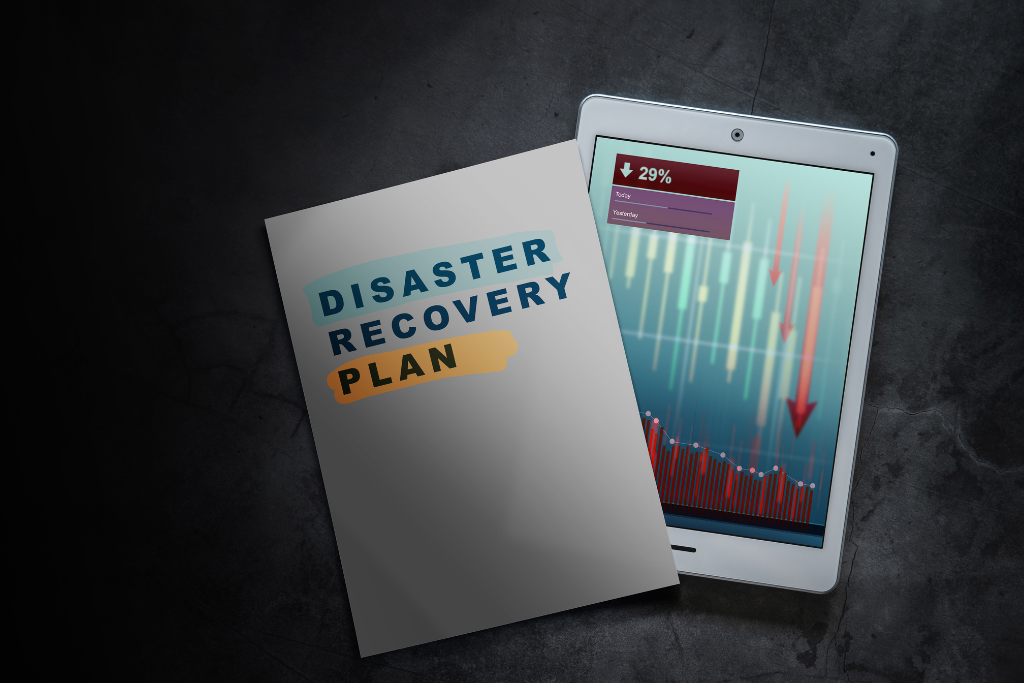
NYC businesses face a complex mix of potential threats that must be addressed in comprehensive disaster recovery plans.
Cyber Security Threats: As a major business center, NYC attracts sophisticated cyber criminals. Ransomware attacks have increased by 41% in the New York metropolitan area over the past year, making robust backup systems essential for recovery without paying ransoms.
Infrastructure Dependencies: Many businesses rely on shared infrastructure, including telecommunications, power, and transportation systems. Disaster recovery plans must account for these dependencies and include alternative arrangements when primary systems fail.
Cascading Effects: In NYC’s interconnected business environment, disruptions often have cascading effects. A power outage in Manhattan can impact businesses throughout the region, making geographic diversification of backup resources crucial.
NYC’s fast-paced business environment demands aggressive recovery targets that may exceed those required in other markets.
Recovery Time Objectives (RTO): Many NYC businesses require near-instantaneous recovery for critical systems. Financial trading operations, for example, may need RTOs measured in seconds or minutes rather than hours.
Recovery Point Objectives (RPO): The high value and volume of data processed by NYC businesses often require minimal data loss tolerance. RPOs of minutes or even seconds may be necessary for critical applications.
Tiered Recovery Strategies: Not all systems require the same level of protection. Effective disaster recovery plans establish tiers of criticality, with the most important systems receiving the highest levels of protection and fastest recovery capabilities.
Regular testing ensures disaster recovery plans work when needed, but NYC’s 24/7 business environment makes testing challenging.
Non-Disruptive Testing: Advanced backup solutions enable testing of recovery procedures without impacting production systems. This includes features like instant recovery to isolated environments and automated failover testing.
Compliance Testing: Many regulated industries require regular disaster recovery testing to maintain compliance. These tests must be documented and may need to meet specific frequency and scope requirements.
Lessons Learned Integration: Each test provides valuable insights that should be integrated into updated disaster recovery procedures. This continuous improvement approach ensures plans remain effective as business needs evolve.
Implementing a managed server backup solution requires careful planning and systematic execution to ensure comprehensive protection without disrupting ongoing operations.

Infrastructure Inventory: Begin with a comprehensive inventory of all systems, applications, and data sources that require protection. This includes physical servers, virtual machines, cloud applications, databases, and user data repositories.
Business Impact Analysis: Identify the criticality of each system and the impact of potential downtime. This analysis forms the foundation for establishing appropriate backup frequencies, retention periods, and recovery priorities.
Compliance Requirements Review: Document all regulatory, legal, and contractual requirements that affect backup and recovery procedures. This includes data retention periods, encryption requirements, and geographic restrictions.
Current State Assessment: Evaluate existing backup systems, identifying gaps, redundancies, and areas for improvement. This assessment should include testing current recovery capabilities to establish baseline performance metrics.
Backup Architecture Design: Develop a comprehensive backup architecture that addresses identified requirements while providing room for future growth. Consider factors like backup windows, storage capacity, and network bandwidth requirements.
Provider Evaluation: Assess potential managed backup providers based on technical capabilities, service level agreements, compliance certifications, and local presence. Request detailed proposals that address your specific requirements and challenges.
Pilot Program Planning: Design a pilot program that tests the chosen solution with a subset of your infrastructure. This allows for refinement of procedures and validation of performance before full deployment.
Staged Rollout: Implement the new backup solution in phases, starting with less critical systems and gradually expanding to include mission-critical infrastructure. This approach minimizes risk while allowing for process refinement.
Data Migration: Carefully plan and execute the migration of existing backup data to the new system. This may involve parallel operations during a transition period to ensure continuous protection.
Integration Testing: Thoroughly test integrations with existing systems, including monitoring tools, security systems, and business applications. Verify that backup operations don’t interfere with production performance.
Staff Training: Provide comprehensive training for IT staff on new procedures, monitoring tools, and recovery processes. Include hands-on exercises that simulate real-world scenarios.
Performance Monitoring: Establish ongoing monitoring of backup performance, including job completion rates, storage utilization, and recovery testing results. Use this data to optimize backup schedules and resource allocation.
Regular Review and Updates: Schedule regular reviews of backup policies, retention schedules, and recovery procedures. Update these elements as business requirements, technology, or regulatory requirements change.
Continuous Improvement: Implement a continuous improvement process that incorporates lessons learned from testing, actual recovery events, and industry best practices.
Choosing between on-premise and cloud backup solutions requires careful consideration of multiple factors, with the optimal choice often varying based on business size, industry, and specific requirements.

Advantages for NYC Businesses:
Considerations and Limitations:
Advantages for NYC Businesses:
Learn how our cloud services and implementation expertise can help you leverage the best backup solutions.
Considerations for Implementation:
Many NYC businesses find that hybrid solutions combining on-premise and cloud elements provide the optimal balance of performance, cost, and protection.
Local-to-Cloud Replication: This approach uses local backup appliances for fast backup and recovery while automatically replicating data to cloud storage for disaster protection and long-term retention.
Tiered Storage Strategies: Different types of data can be stored using different approaches, with frequently accessed data maintained locally and archived data stored in cost-effective cloud storage.
Cloud-Enabled On-Premise: Some solutions combine on-premise backup appliances with cloud management and monitoring, providing local performance with centralized oversight and support.
Small Businesses (1-50 employees): Cloud solutions typically provide the best value, offering enterprise-grade protection without the complexity and cost of maintaining backup infrastructure. The ability to start small and scale as needed makes cloud backup particularly attractive for growing businesses.
Medium Businesses (50-500 employees): Hybrid solutions often provide the optimal balance, with local backup appliances for daily operations and cloud replication for disaster protection. This approach provides good performance while maintaining cost-effectiveness.
Large Enterprises (500+ employees): Large organizations may benefit from sophisticated on-premise solutions with cloud integration, particularly if they have dedicated IT teams and complex compliance requirements. However, many large enterprises are also moving toward cloud-first strategies to reduce complexity and improve agility.
In NYC’s high-threat environment, implementing robust security measures for backup systems is not optional—it’s a fundamental requirement for protecting business continuity and maintaining customer trust.
Discover our advanced security and protection services that complement your backup strategy.
Encryption in Transit: All data moving between your infrastructure and backup systems must be encrypted using industry-standard protocols. This includes initial backup transfers, ongoing incremental backups, and data recovery operations.
Encryption at Rest: Backup data stored on disk or in cloud storage must be encrypted using strong encryption algorithms. Advanced encrypted backup NYC solutions use AES-256 encryption or equivalent standards that meet federal and industry requirements.
Key Management: Proper encryption key management is crucial for maintaining both security and data accessibility. Keys should be stored separately from encrypted data and managed through secure, auditable processes.
Multi-Factor Authentication: All access to backup systems should require multi-factor authentication, combining something you know (password), something you have (token), and potentially something you are (biometric).
Role-Based Access Control: Implement granular access controls that limit backup system access based on job functions and responsibilities. Not all IT staff need full administrative access to backup systems.
Regular Access Reviews: Conduct regular reviews of backup system access, removing unnecessary permissions and updating access levels as roles change.
Comprehensive Logging: Backup systems should log all access attempts, configuration changes, and data operations. These logs must be protected from tampering and regularly reviewed for suspicious activity.
Automated Alerting: Implement automated alerts for unusual backup activity, failed authentications, and system configuration changes. Quick detection enables rapid response to potential security incidents.
Compliance Reporting: Many regulatory frameworks require specific reporting on data protection activities. Backup systems should provide automated reporting capabilities that support compliance requirements.
Selecting a managed backup provider requires careful evaluation of technical capabilities, service quality, and business alignment to ensure long-term success.
Discover how our comprehensive MSP solutions include managed backup as part of a complete IT strategy.
Infrastructure and Reliability: Evaluate the provider’s data center infrastructure, including redundancy, security, and geographic distribution. Look for providers with multiple facility locations and proven uptime records.
Technology Platform: Assess the backup technology platform for features like deduplication, compression, and intelligent scheduling. Modern platforms should support diverse environments, including physical, virtual, and cloud infrastructure.
Scalability and Performance: Ensure the provider can accommodate your current needs while providing room for growth. This includes both storage capacity and backup/recovery performance capabilities.
Recovery Time Commitments: Providers should offer specific SLAs for recovery operations, including both routine restores and emergency disaster recovery scenarios.
Monitoring and Support: Look for 24/7 monitoring and support capabilities, particularly important for NYC businesses that may operate outside traditional business hours.
Performance Guarantees: Seek providers that offer performance guarantees for backup completion times and data transfer rates.
Local Presence: Providers with NYC-area presence can offer better support and faster response times for critical situations.
Industry Expertise: Look for providers with experience in your industry who understand specific compliance and operational requirements.
Financial Stability: Ensure the provider has the financial stability to maintain services and continue investing in infrastructure improvements.
Migration Assistance: Evaluate the provider’s capabilities for migrating existing backup data and configurations to their platform.
Training and Documentation: Providers should offer comprehensive training for your IT staff and maintain current documentation for all procedures.
Continuous Improvement: Look for providers that regularly update their technology platforms and incorporate new features and capabilities.
Understanding the financial impact of managed backup solutions requires analysis of both direct costs and indirect benefits that may not be immediately apparent.
Service Fees: Monthly or annual fees for managed backup services typically scale based on the amount of data protected and the level of service required.
Implementation Costs: Initial setup and migration costs, including any required hardware, software, or professional services.
Training and Support: Costs associated with training staff and any ongoing support beyond what’s included in base service fees.
Reduced IT Overhead: Managed solutions eliminate the need for specialized backup expertise on internal teams, allowing reallocation of resources to strategic initiatives.
Improved Reliability: Professional management typically results in higher backup success rates and faster recovery times, reducing the cost and impact of data loss events.
Compliance Efficiency: Managed providers often have pre-built compliance capabilities, reducing the time and cost required to meet regulatory requirements.
Risk Mitigation: The cost of managed backup services is typically a fraction of the potential cost of major data loss events, providing significant insurance value.
Risk-Adjusted Returns: Calculate ROI based on the probability and cost of various data loss scenarios, weighted by their likelihood and potential impact.
Operational Efficiency Gains: Quantify the value of IT staff time that can be redirected from backup management to revenue-generating activities.
Compliance Cost Avoidance: Factor in the costs that would be required to achieve equivalent compliance capabilities with internal resources.
Business Continuity Value: Consider the value of improved recovery capabilities in maintaining customer relationships and avoiding revenue loss during outages.
In New York City’s dynamic business environment, managed server backup solutions represent more than just data protection—they’re a strategic investment in business continuity and competitive advantage. The combination of urban risks, regulatory requirements, and intense competition makes comprehensive backup strategies essential for long-term success.
The evolution toward cloud-based and hybrid backup solutions offers NYC businesses unprecedented flexibility and protection capabilities. By leveraging managed services, companies can access enterprise-grade backup technologies and expertise without the complexity and cost of building and maintaining these capabilities internally.
Success with managed backup solutions requires careful planning, thorough provider evaluation, and ongoing optimization. The investment in professional backup management typically pays dividends through improved reliability, reduced complexity, and enhanced security that would be difficult and expensive to achieve independently.
As cyber threats continue to evolve and business data volumes grow exponentially, the value of managed backup solutions will only increase. NYC businesses that invest in comprehensive backup strategies today position themselves not just to survive unexpected disruptions, but to maintain their competitive edge in one of the world’s most demanding business environments.
The key is taking action before disaster strikes. Every day without proper backup protection is a day of unnecessary risk that could result in catastrophic loss. By partnering with experienced managed backup providers and implementing comprehensive protection strategies, NYC businesses can focus on growth and innovation while knowing their critical data remains secure and recoverable.